Skip to main contentConductor supports monorepos out of the box.
While we know the experience isn’t perfect yet, below are some tips and common questions we hear. If you have other questions or feedback about using monorepos in Conductor, please reach out to us at [email protected].
Adding a monorepo
Adding a monorepo to Conductor is the same as adding any other repository.
When you add a monorepo to Conductor, workspaces are created at the repository’s root level. That means agents have access to all packages and services in your monorepo by default.
Working with specific directories
Frequently, you might want your agents to only work on a few directories in your monorepo. If you have multiple directories with similar file names, agents can get confused when grep’ing or glob’ing.
When you create a workspace for your monorepo, you can select which working directories will be visible in the workspace.
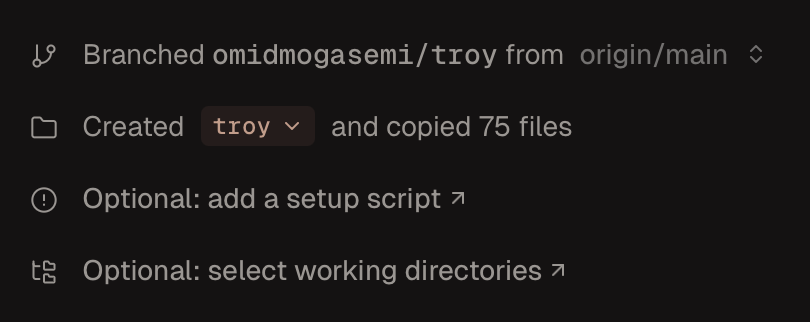 Any directories not selected will be hidden in the workspace using
 git sparse checkout (docs).
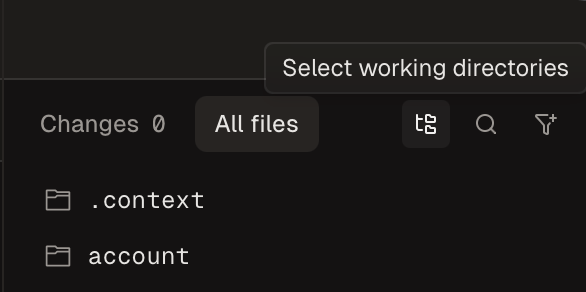
You can also add/remove directories from the workspace at any time by clicking the “Select working directories” button in the git panel.
Running Multiple Services at Once
To run multiple services at once in a workspace, we recommend creating a run script that launches all of the services you need.
Using Git Submodules
If your monorepo uses git submodules, we recommend putting git submodule update --init --recursive in your
setup script. This will automatically initialize and clone all submodules on workspace creation.